
Want to take your company's productivity to the next level in 2026? HubSpot workflows are the key to automating processes, improving marketing, and managing customers with ease.
In this complete guide, we explain what a workflow is, how it works, and which advanced strategies you can adopt to achieve tangible results.
Get ready to transform the way you work — keep reading and learn how to implement winning solutions right away!
What Is a HubSpot Workflow and Why Does It Matter in 2026?
In the context of HubSpot, a workflow represents the heart of business automation for 2026. HubSpot workflows allow you to automate repetitive tasks and manage data intelligently, reducing manual work and human error. Think of it as a digital assistant that handles the most tedious activities, freeing your team to focus on what truly matters.
There are multiple types of HubSpot workflows available, designed to adapt to every business need:
- Contact workflows: automate email sending, lead qualification, and nurturing.
- Company workflows: update and segment company data.
- Deal workflows: manage sales pipeline, tasks, and follow-ups.
- Ticket workflows: optimise customer support and issue resolution.
- Custom object workflows: enable automation on custom objects.
In recent years, HubSpot workflows have evolved from simple automated sequences into true orchestrators of complex processes. According to HubSpot, companies that adopt workflows report an increase in operational efficiency of more than 40%. The key difference between manual and automated workflows? The former require constant intervention, while the latter operate independently, ensuring consistency and speed.
In 2026, artificial intelligence will play an increasingly central role in HubSpot workflows. AI enables intelligent triggers and actions — such as automatically sending emails at exactly the right moment or dynamically segmenting leads. This opens the door to a level of personalisation never seen before, where every customer receives the most relevant message at the ideal time. Want to discover how SMEs can make the most of these capabilities? Take a look at this guide on HubSpot CRM for SMEs and automation.
Here are some concrete examples of HubSpot workflows in action:
- Automatic sending of welcome emails after a newsletter sign-up.
- Assigning new leads to the most suitable sales rep based on predefined criteria.
- Automatically updating a deal's status when a payment is received.
For SMEs and growing businesses, HubSpot workflows are strategic because they allow you to scale processes without increasing costs. By automating repetitive tasks, they improve the customer experience, reduce response times, and enable data-driven decision-making. In 2026, those who know how to integrate intelligent workflows will have a decisive competitive advantage.
How to Create a HubSpot Workflow: Step-by-Step Guide
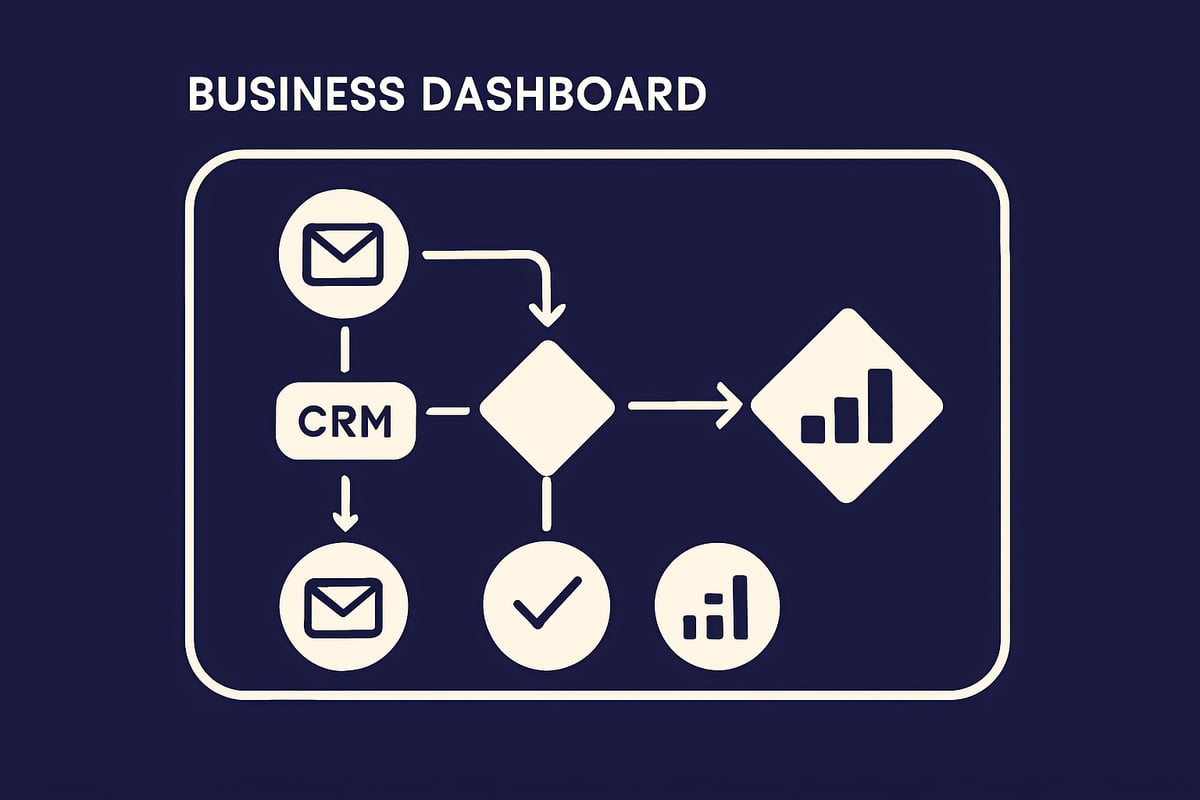
Creating effective HubSpot workflows is the first step towards turning repetitive activities into automated processes that drive business growth. In this practical guide, we walk through how to set up a workflow in four key steps, with concrete examples and useful tips for each phase.
1. Choosing Your Goal and Object Type
First, identify which process you want to automate with HubSpot workflows. Do you want to improve lead nurturing? Streamline customer onboarding? Automate sales follow-ups?
Choose the object type on which to base the workflow:
- Contacts: ideal for nurturing, segmentation, and personalised email sending.
- Deals: automate progression, follow-ups, and commercial opportunity management.
- Companies: update properties or trigger actions based on company changes.
- Tickets: perfect for post-sale support and customer service.
- Custom objects: for your company's specific requirements.
Practical example: you can create a workflow that sends a sequence of emails to qualified leads as soon as they complete a form. If you would like advice on how to set up these processes, you can explore HubSpot implementation consultancy.
2. Setting Up Enrollment Triggers
The second step in creating HubSpot workflows is choosing your enrollment triggers. Triggers determine when and how a contact or object will enter the workflow.
The main types of triggers are:
- Property filters: e.g. leads with a score above 50.
- Specific events: email opens, link clicks, page visits.
- Scheduling: enrollment on specific dates or after X days.
- Webhooks: activation from external systems.
In 2026, HubSpot's artificial intelligence suggests the most effective triggers by analysing your historical data. An interesting insight: 70% of companies use at least two types of triggers to achieve better results. Leveraging multiple triggers makes HubSpot workflows more responsive to the real needs of customers.
3. Configuring Workflow Actions
Now move on to the actions your workflow will execute. With HubSpot workflows you can:
- Send automated emails (e.g. welcome messages, reminders, offers).
- Create tasks for the team, assign leads or tickets.
- Update properties of contacts, deals, or companies.
- Send internal notifications, SMS, or messages via external integrations.
- Manage conditional branches: for example, "if the lead opens the email, send the offer; otherwise, send a reminder".
Example: you can personalise an email sequence based on user behaviour, making the journey truly tailored. Remember to avoid redundant actions and always optimise the sequence to avoid overwhelming contacts. Well-configured HubSpot workflows make a real difference to the customer experience.
4. Testing, Activating, and Monitoring the Workflow
Before publishing, always test your HubSpot workflows. Use the "Test" function to simulate a contact's journey and identify any errors.
Define clear re-enrollment and unenrollment criteria to prevent users from receiving duplicate communications. Once active, continuously monitor performance:
- Completion rate: how many users reach the end of the workflow.
- Conversions generated: leads, sales, support requests.
- Errors or blocks: incomplete actions, non-functioning triggers.
Recent statistics show that optimised workflows reduce lead management time by 40%. Regularly review and update your HubSpot workflows to maintain results over time.
Advanced Workflow Strategies for 2026
Advanced strategies for HubSpot workflows in 2026 focus on maximising automation, personalisation, and security. The goal? To help your business respond to market changes, engage customers in a targeted way, and simplify operational management. Here is how to take your HubSpot workflows to the next level.

Omnichannel Automation and Dynamic Personalisation
In 2026, HubSpot workflows allow you to orchestrate actions across multiple channels seamlessly. This means integrating email, SMS, push notifications, CRM, and even external apps into a single automated flow. The real strength lies in dynamic personalisation: thanks to conditional branches, you can create different journeys for each audience segment.
- Advanced segmentation to send tailored messages
- Triggering multichannel campaigns based on behaviour
- Real-time adaptation to new interactions
Companies that adopt these strategies see a 35% increase in engagement. To explore trends and statistics on workflow automation in 2026, you can consult Workflow Automation Trends 2026. In short, HubSpot workflows become the engine of a truly personalised customer experience.
Leveraging Artificial Intelligence in Workflows
Artificial intelligence transforms HubSpot workflows into predictive, intelligent tools. In 2026, AI suggests ideal triggers, personalised actions, and optimises the timing of communications. For example, it can analyse lead behaviour and recommend the perfect moment to send a nurturing email.
- Automatic generation of triggers based on historical data
- Real-time optimisation of journeys
- Predictive analytics to improve conversion rates
Thanks to AI, HubSpot workflows become more responsive and results-oriented, improving both lead quality and the user experience.
Best Practices for Managing Complex Workflows
When HubSpot workflows become intricate, clarity is essential. Breaking processes into reusable modules and using features such as "Go to workflow" helps maintain order and simplicity. Some practical tips:
- Create modular, well-documented workflows
- Use conditional actions to avoid redundancies
- Implement debugging techniques to identify errors
A structured approach helps prevent infinite loops and ensures that HubSpot workflows remain efficient and easy to monitor.
Security, Compliance, and Data Management
In 2026, secure data management within HubSpot workflows is a top priority. Every automation must respect privacy regulations such as GDPR. Here are the best practices:
- Request and record user consent at every stage
- Maintain a detailed audit trail of automations
- Regularly update documentation to ensure compliance
These strategies ensure that HubSpot workflows are not only effective, but also secure and reliable for business growth.
Key Actions and Features of HubSpot Workflows
HubSpot workflows are the beating heart of business automation. They allow you to orchestrate activities across the entire organisation, connecting marketing, sales, and customer service in a single, coherent flow.